


Centralized real-time data repository with hierarchical organization for all solution data.
Modules → Data Foundation | Tutorial | How-to Guide
Overview
The Unified Namespace (UNS) is your solution's data foundation — a single source of truth for all real-time and configuration data. All other modules connect to the UNS to read and write process variables.
The Unified Namespace is Pillar 1 in the Four Pilars Configuration methodology, all FrameworX modules connect natively with the UNS.
the Data Services expose UNS to external applications via OPC UA, MQTT, MCP, and DataHub services.
Key Concepts
Concept | Purpose |
|---|---|
Tag | Process variable with value, type, quality, and timestamp |
UserType | Reusable data structure template (User-Defined Type) |
Enumeration | Number-to-text mapping (e.g., 0="Off", 1="On") |
TagProvider Service | Connection to external data sources (MQTT, OPC UA, etc.) |
Asset Tree | Hierarchical view of Tags organized by path |
Folder | Organizational container within the Tag hierarchy |
External Integration
The UNS connects to external systems in two directions:
Component | Role | Description |
|---|---|---|
TagProvider Services | FrameworX as Client | Connect to external systems (PLCs, MQTT brokers, OPC UA servers) |
Data Servers | FrameworX as Server | External systems connect to FrameworX (expose UNS to clients, AI, other solutions) |
→ TagProvider Services — Import and synchronize data from external sources
→ Data Servers — Expose UNS via OPC UA Server, MQTT Broker, MCP, and DataHub
What It Does
The Data Foundation provides:
Centralized data storage — All process variables in one namespace
Hierarchical organization — Folders and paths mirror physical/logical plant structure
Reusable templates — UserTypes define consistent data structures
External integration — TagProviders bring external data into the namespace dynamically
Real-time access — All modules subscribe to tag changes via event-driven architecture
Configuration Workflow
Step | Action | Description |
|---|---|---|
1 | Plan structure | Define naming conventions and hierarchy |
2 | Create UserTypes | Build reusable templates for equipment |
3 | Create Folders | Organize by area, line, or function |
4 | Create Tags | Define process variables with types |
5 | Configure TagProviders | Connect external data sources (optional) |
Runtime Behavior
Data Access
At runtime, all modules access the UNS through the real-time tag database (TServer.exe):
// Direct tag access
@Tag.Line1.Machine1.Temperature

// Asset function (equivalent)
Asset("Line1/Machine1/Temperature")

// Tag properties
@Tag.Motor1.Speed.Value
@Tag.Motor1.Speed.Quality
@Tag.Motor1.Speed.Timestamp
Event-Driven Updates
When a tag value changes:
Change triggers event in TServer
All subscribed modules receive notification
Displays update, alarms evaluate, historian logs
Data Explorer Tool
The DataExplorer streamlines UNS creation by enabling:
Discovery — Browse MQTT brokers, OPC servers, PLCs, SQL databases
Import — Create tags and templates from discovered structures
Validate — Test connections before adding to production
This tool reduces manual configuration time significantly when building tag structures.
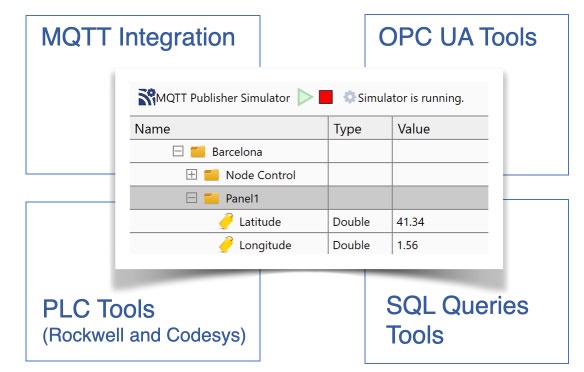
→ Learn more in the DataExplorer How-to Guide
Feature Highlights
Full .NET type support — Integer, Double, DateTime, DataTable, arrays, and more
UserType inheritance — Build complex equipment models
Dynamic TagProviders — Access external data without pre-defining tags
Built-in namespaces — System status via Server, Client, Alarm, Device namespaces
Memory optimization — Properties allocated only when configured
Retentive values — Persist tag values across restarts
Data Foundation Links
Explanation - to understand concepts
→ Platform Overview / Technology / Real-Time Tag Database
→ Platform Overview / Technology / Native Unified Namespace
→ Modules / Data Foundation / Data Services - Expose UNS to external systems, AI, and other solutions
Tutorials - to learn by doing
→ Tutorials / Data Foundation / UNS Tutorial
How-to Guides - to accomplish specific tasks
→ How-to Guides / Data Foundation / UNS How-to Guide
Reference - technical details
→ Technical Reference / Platform Modules / Unified Namespace Reference
→ Technical Reference / Platform Modules / Object Model Quick Reference
Next Steps
- [UNS (How-to Guide)] - Step-by-step configuration
- [UNS (Reference)] - Complete technical documentation
- [P2: Process Modules] - Connect to field devices
In this section...