


This page outlines the various FrameworX deployment scenarios.
Platform → Architecture → Solutions Development | Deployment
Deployment Scenarios: FrameworX provides versatile deployment architectures tailored to your operational requirements, from standalone configurations to sophisticated distributed systems.
- Standalone Configuration
- Distributed Architecture
- Redundant Systems
- Cloud and Hybrid
Runtime Requirements
The FrameworX Runtime is a cross-platform .NET service. Pick the host that matches the release you plan to deploy:
FrameworX release | Runtime target | Supported hosts |
|---|---|---|
10.1.5 and later | .NET 10 | Windows, Linux, Docker, macOS (see below) |
10.1.4 and earlier | .NET 8 | Windows, Linux, Docker |
Upgrading from 10.1.4 to 10.1.5 moves the runtime from .NET 8 to .NET 10. Install the matching Microsoft .NET 10 SDK or runtime on every target host before upgrading the FrameworX service. The Designer remains on .NET Framework 4.8 on Windows in both releases; see .NET to the Core for the full per-component TFM table.
Linux and Docker
Linux and Docker deployments require the Microsoft .NET 10 SDK or runtime on the host (or in the container base image) for 10.1.5. Microsoft publishes official .NET 10 packages for the major distributions and base images, and FrameworX runs unmodified on any host where Microsoft supports .NET 10.
macOS
macOS is shown in the platform diagrams because .NET 10 itself runs on macOS, but production deployment of the FrameworX Runtime on macOS is currently considered experimental. Use Windows, Linux, or Docker for supported production deployments; reach out to Tatsoft support if you have a macOS production scenario in mind.
Side-by-Side Coexistence
FrameworX 10.1.4 and 10.1.5 can be installed on the same machine and run side by side. Each release ships its own isolated runtime, so the .NET 8 runtime serving 10.1.4 and the .NET 10 runtime serving 10.1.5 do not conflict. This makes it safe to stage 10.1.5 against an existing 10.1.4 installation before cutting over.
For step-by-step installation and licensing, see Install and Activate. For larger IT-managed rollouts, see the IT Deployment Runbook.
Deployment Models
| Deployment Options | |
|---|---|
Standalone Configuration
| Distributed Architecture
|
Redundant Systems
| Cloud and Hybrid
|
Typical Deployment Scenarios
Single Server
- Server handles all runtime functions
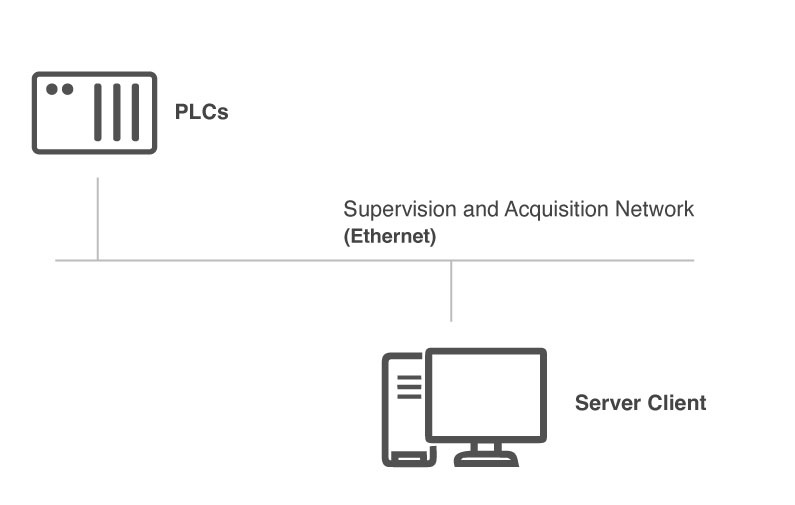
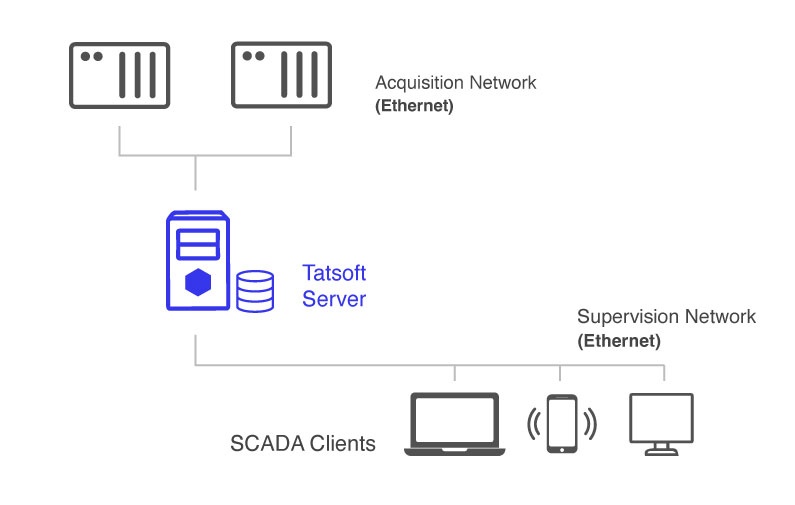
Stand-Alone System
- Local client via Rich Client or remote SmartClient or Web
- Suitable for machine operation and Edge systems.
Server and Clients System
- Local or remote clients via Rich Client, Web Browser, or Mobile
- Suitable for single-site or line operations
Distributed Architecture
- Multiple servers across locations
- DataHub Station - Field-level I/O acquisition, alarm processing, historian
- Displays Portal - User interface serving for distributed operator groups
- Enterprise-wide solutions with optimized network usage
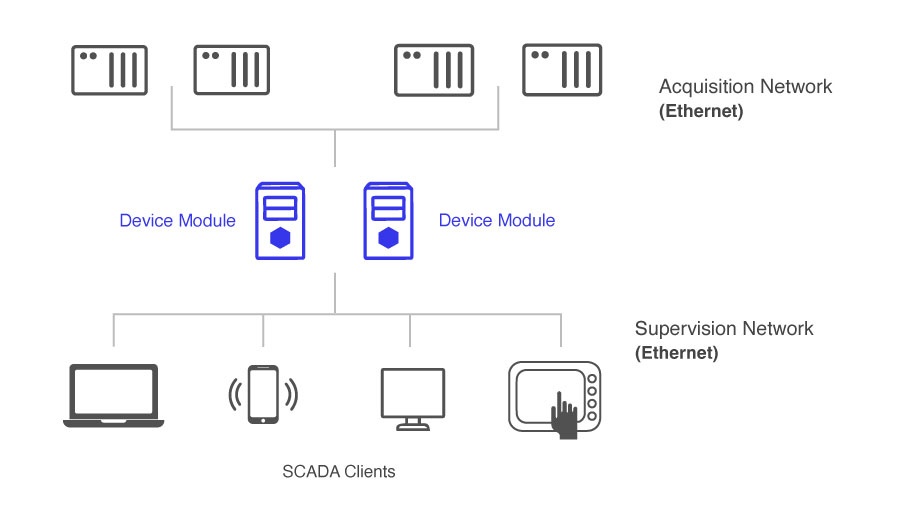
Distributed Data Acquisition System
A server machine hosts device modules communicating with remote PLCs or historians. The SCADA client can be on the same server or a separate computer. This setup is ideal for plants with devices on slow or limited networks, optimized with I/O servers for better performance.
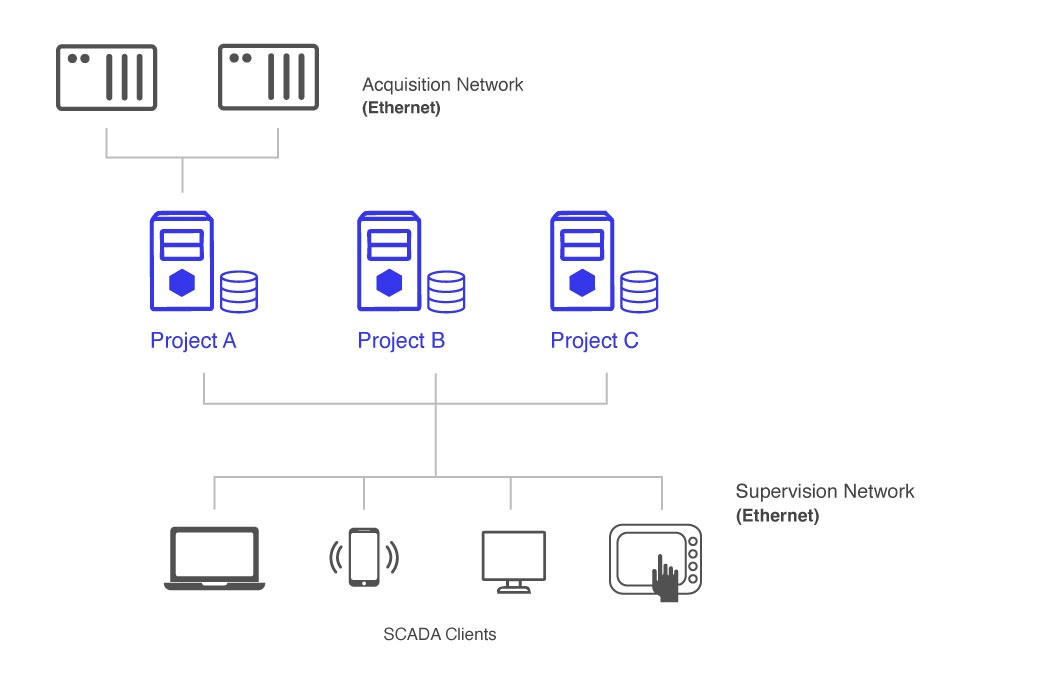
Distributed Control System
Multiple servers are set up across different plants or projects, enabling access to control rooms for each. Users select the specific plant they wish to monitor. This setup features discrete locations with local operators and redundant servers for each site.
Redundant Server Configuration
- Primary and backup servers with heartbeat monitoring
- Automatic client reconnection on failover
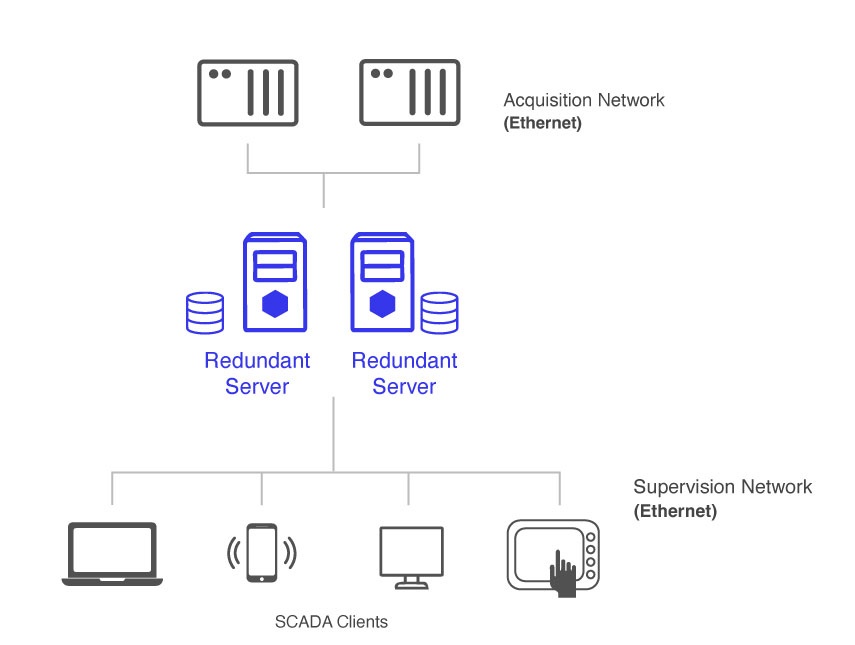
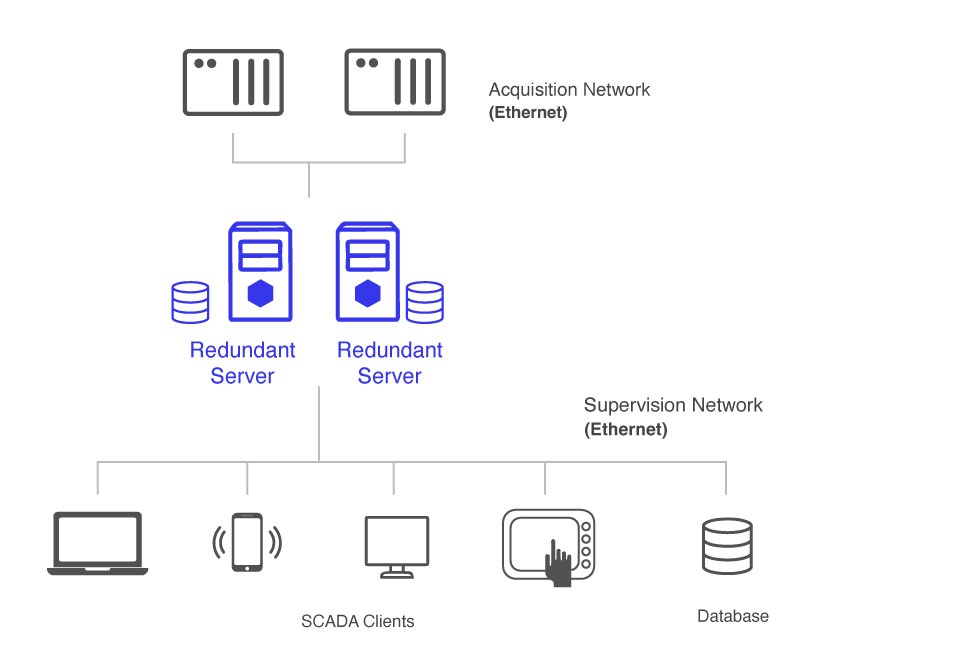
Local Database with Alarm/Historian Synchronization
Remote Database Cluster
Key Architectural Benefits
| Benefit | Description | Impact |
|---|---|---|
| Unified Development | Single Designer for all modules | Reduced learning curve |
| Modular Design | Independent module operation | Easier troubleshooting |
| Open Standards | OPC UA, MQTT, REST APIs | Enterprise integration |
| Scalability | From embedded to enterprise | Investment protection |
| Platform Agnostic | Windows, Linux, Docker | Deployment flexibility |
In this section...