


Integration Philosophy: FrameworX provides true bidirectional integration between Python and .NET, not just Python scripting capability. This design leverages Python's extensive data science libraries while maintaining .NET's performance and reliability for industrial control.
The platform requires Python 3.7 or later, delivering significant performance improvements over Python 2. According to Python.org benchmarks, Python 3 runs approximately 10-30% faster than Python 2 in most scenarios, with some operations seeing 5x improvements.
Language Selection Guide
| Language | Best For | Performance | Key Features |
|---|---|---|---|
| C# | Complex logic, performance-critical operations | Excellent | Full .NET access, strongly typed, IntelliSense |
| Python | Data analysis, ML integration | Good | Extensive libraries, NumPy/Pandas support |
Quick Selection Criteria
- C# - Maximum performance, real-time control, type safety
- Python - Data science, machine learning, rapid prototyping
- Both - C# for control logic, Python for analytics
Integration Patterns
1. Embedded Python Scripts
Python code runs within FrameworX's Script Tasks and Classes, with full access to tags and namespaces:
# Python accessing FrameworX tags
@Tag.Temperature = @Tag.SetPoint + 5
result = ProcessData(@Tag.ProductionRate)
2. Shell Integration
Execute external Python files while maintaining tag access:
result = TK.ExecutePythonShell("analytics.py", [@Tag.Input1, @Tag.Input2])
@Tag.Result = result
Test Playground
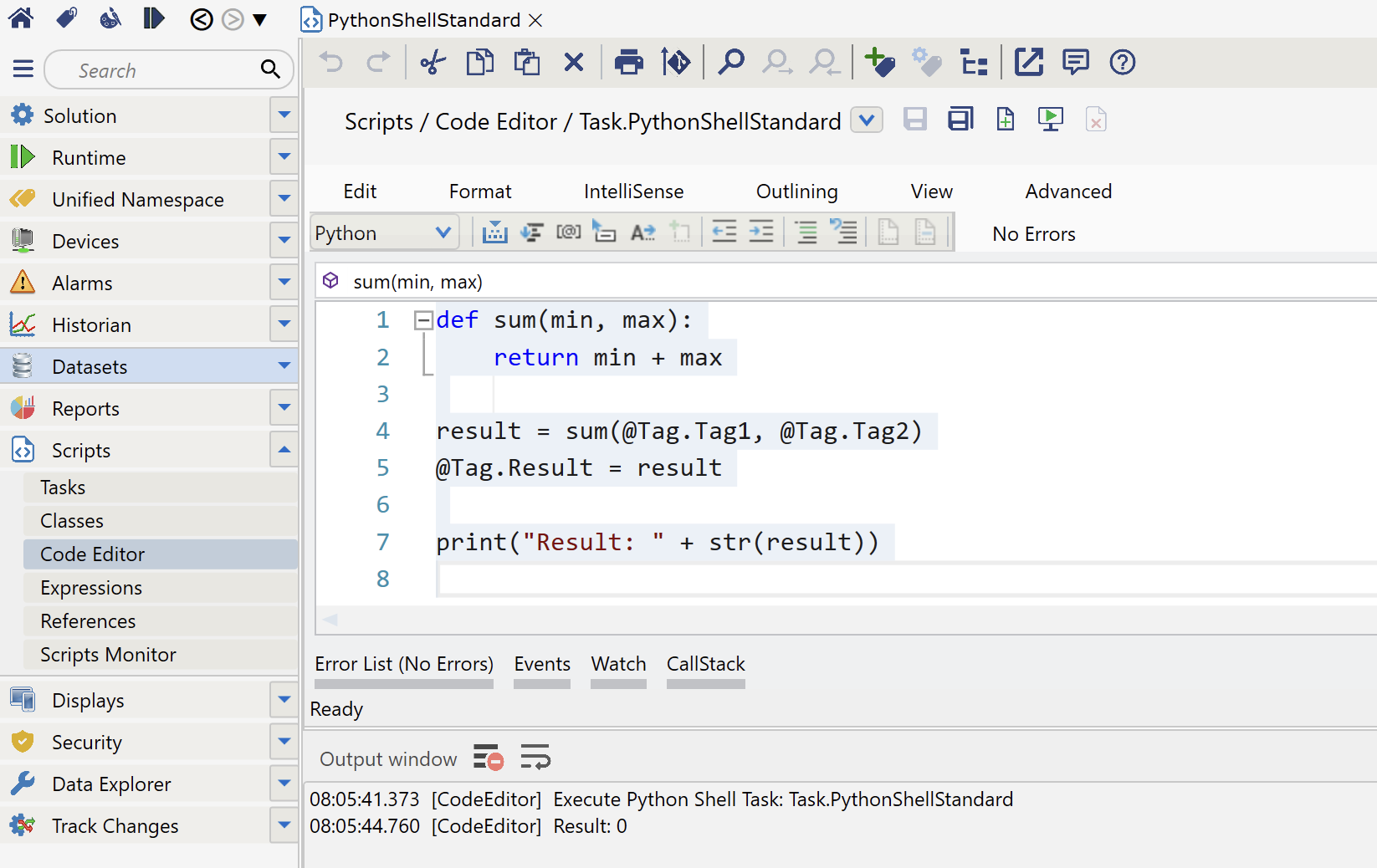
When the editor is used to edit Script Tasks, you can test the scripts directly, using the Play  button at the Task name line. The results of your code will show in the standard Designer output.
3. Cross-Language Calls
C# calling Python:
// C# code calling Python class
var result = @Script.Class.PythonAnalytics.ProcessML(data);
Python calling C#:
# Python code calling C# method
result = @Script.Class.CSharpLogic.Calculate(param1, param2)
Direct Access ArchitecturePython code accesses FrameworX objects directly through the same '@' notation used in C#:
- @Tag - Real-time tag values
- @Dataset - Database queries
- @Alarm - Alarm states
- @Historian - Time-series data
No marshaling, conversion, or intermediate layers, Python operates on the same objects as .NET code.
Development Environment
Solution-Specific Python
Each solution specifies its Python interpreter, enabling:
- Different Python versions per project
- Isolated package environments
- Consistent deployment across development and production
In-Designer Features
- Code Editor - Python syntax highlighting and IntelliSense
- Testing - Run Python scripts directly in Designer
- Debugging - Output window for print statements and errors
- Tag Access - Auto-completion for all namespace objects
Industrial Use Cases
Machine Learning Integration
# Use scikit-learn for anomaly detection
from sklearn.ensemble import IsolationForest
model = IsolationForest()
data = GetHistorianData(@Tag.Equipment)
anomalies = model.fit_predict(data)
Data Analysis
# Pandas for production analytics
import pandas as pd
df = pd.DataFrame(@Dataset.Query("SELECT * FROM Production"))
daily_avg = df.groupby('Day')['Output'].mean()
@Tag.DailyAverage = daily_avg.iloc[-1]
Custom Protocols
# Implement proprietary protocol
import struct
packet = struct.pack('>HH', @Tag.DeviceID, @Tag.Command)
response = SendCustomProtocol(packet)
@Tag.Response = struct.unpack('>H', response)[0]
System Requirements
- Python Version: 3.7 or later (3.11 recommended)
- Python.NET: Required for integration (pip install pythonnet)
- Installation: System-wide (all users) for service deployment
- Path: Python.exe must be in system PATH
Performance Considerations
| Operation Type | Recommended | Reason |
|---|---|---|
| Real-time control loops | C# | Deterministic execution, minimal latency |
| Statistical analysis | Python | NumPy/Pandas optimized C libraries |
| Tag calculations | C# | Direct memory access, no interpreter |
| Machine learning inference | Python | Scikit-learn, TensorFlow ecosystems |
| Database operations | Either | Both have excellent SQL support |
Key Advantages
- No Bridge Required - Direct integration via Python.NET
- Shared Memory Space - Zero-copy data access between languages
- Production Ready - Runs as Windows service, handles 24/7 operation
- Version Flexibility - Multiple Python versions on same server
- Library Access - Full Python Package Index (PyPI) availability
→ Platform / Technology Foundation / Python and .NET Integration → Tutorials / Technology Learning / Python and .NET Integration → Technical Reference / Programming and APIs Reference / Python and .NET IntegrationPython and .NET Integration Links
Explanation - to understand concepts
Tutorials - to learn by doing
Reference - technical details
In this section...