


Feed custom data into trends.
How-to Guides → Solution Examples → Feature Examples → User Interactions Examples → TrendChart Custom Samples Example
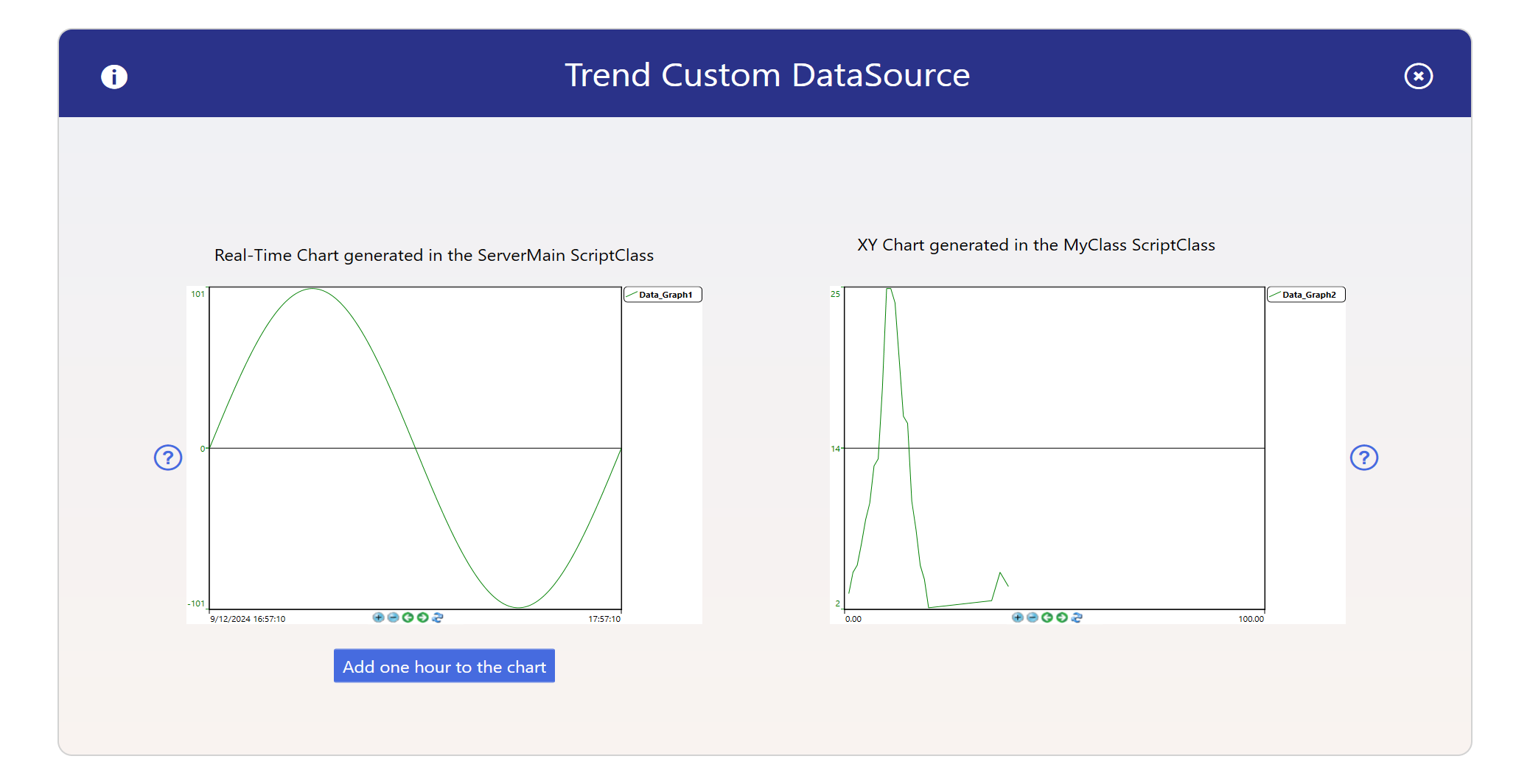
This example shows how to use TrendCharts, and solutions on basic archiving, creating and charting of Data.
Solution file: TrendChart Custom Samples Example.dbsln
Database file: TrendChart Custom Samples Example.db
Summary
This example shows how to use TrendCharts, and solutions on basic archiving, creating and charting of Data.
Technical Information
When creating a TrendChart, you can associate a HistorianTag with a HistorianTable to supply data points. This configuration is done through the Historian section. These tables can either receive data from databases accessed via software platform or from a script within a script class, accessible under Scripts / Classes.
In this example, the GetSamples method is applied in two different ways:
In the
ServerMainScriptClass, the method is used to create a custom signal and send it to the historian for plotting.In the
MyClassScriptClass, the method is used to retrieve data stored in a table within a database, which is then sent to the historian for plotting.
When creating a TrendChart, if you have data logging set up in software platform (via HistorianTags) or if you're using software platform with the OSIsoft PI System, the system will automatically search for archived data to plot.
If you want to use data other than what the system archives by default, you have two options:
Populate the historian archive (Microsoft SQL, or other databases, including the PI System) from another application.
Customize the
GetSamplesmethod used by the TrendChart, as demonstrated in theServerMainandMyClassScriptClasses
In this section...